
ProBooks: Invoice Maker
Brian AugsburgerBusiness
4.7731.00 Reviews
- Version
- 10.98
- Installs
- 100.00K
- Age Rating
- Everyone
Screenshots
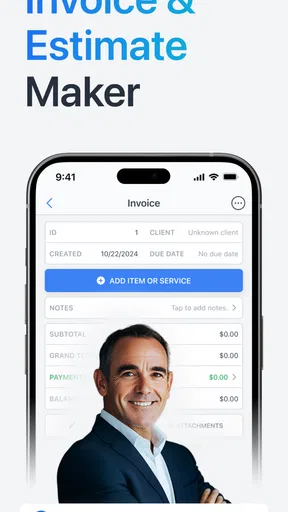
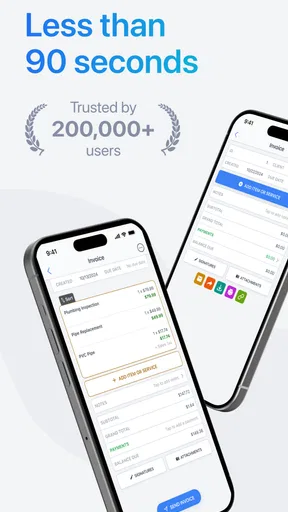

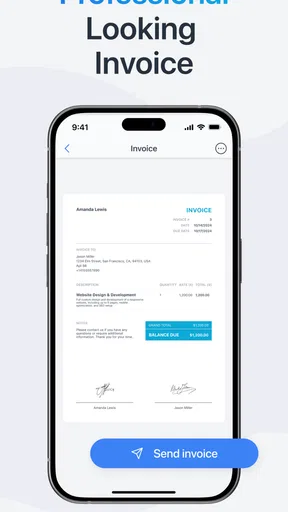
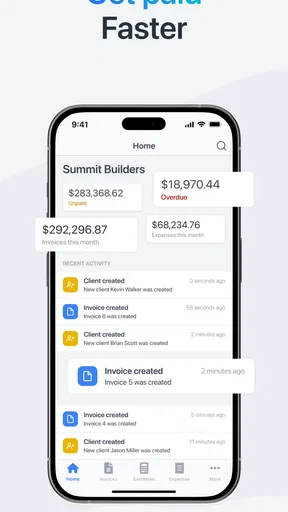
Our Review of ProBooks: Invoice Maker
 Analysis by Appyee
I approached ProBooks: Invoice Maker as a practical business tool rather than a full accounting system. Its promise is straightforward: help me prepare invoices, send them to customers, and keep everyday billing more organized. After using it with that expectation, I found an app that makes the most sense for freelancers, small service providers, and anyone who needs a simple way to bill without building a complicated finance workflow.
The app is free to start, carries an Everyone age rating, and comes from developer Brian Augsburger. It has been available since March 4, 2013, and its current version is 10.98. That long presence matters to me because invoice tools need to feel familiar and dependable more than flashy. ProBooks has also built a 4.7 average from around 2.7 thousand ratings, with more than 100 thousand installs, which fits my impression of a focused utility that has found a steady audience.
How ProBooks feels during everyday invoicing
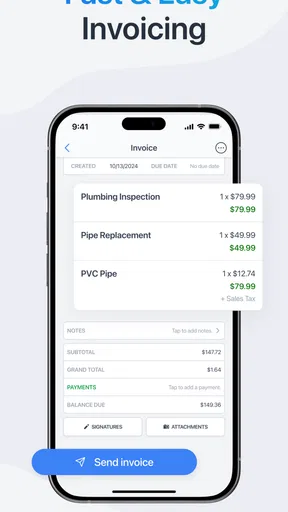
The first thing I noticed is that the app is built around reducing the distance between finishing a job and asking to be paid. Instead of treating invoicing as a large administrative project, it encourages a direct sequence: identify the customer, enter the work, review the total, and send the result. That approach is especially useful when I am working from a phone and do not want to wait until I return to a desk.
For a self-employed cleaner, repair worker, tutor, designer, consultant, or other independent professional, this can be a sensible fit. The app is not trying to replace every business system. It is aimed at the moment when a customer needs a clear bill and I need to produce one without losing track of what was done.
The strongest reason to use ProBooks is its narrow focus on getting a usable invoice out quickly. That focus also explains its limits. People who need advanced bookkeeping, detailed tax preparation, payroll, inventory control, or broad team collaboration should not mistake an invoice maker for a complete accounting platform. A larger desktop or cloud service will usually be better once billing becomes part of a more complex operation.
Speed expectations on a phone
In normal use, ProBooks feels like the kind of app that should be opened for a short task rather than left running as a central business dashboard. The workflow is naturally quick because an invoice is a defined object with a customer, items, and a total. I do not have to navigate through unrelated business modules before reaching the part I need.
That makes a difference in realistic situations. Imagine finishing a small installation in the afternoon and standing outside the customer’s property with the job details still fresh. I can prepare the bill before moving on to the next appointment instead of relying on a handwritten note that may be forgotten later. For a consultant who bills after a call, the same pattern works: record the service while the time and description are clear, then send the invoice before the day becomes crowded.
I would still avoid assuming that every invoice will be effortless. The speed depends on how much information I need to enter and whether my customer and service details are already organized. A first invoice for a new client naturally takes more work than a repeat bill. The app helps with the structure, but it cannot remove the need to check names, descriptions, quantities, and totals carefully.
My practical tip is to create a consistent naming habit for services and customers. If I describe the same type of work differently every time, later searches and reviews become harder. A short, recognizable description is more useful than a vague entry such as “work completed.” This is a small workflow choice, but it makes a simple invoicing app feel far more manageable over several weeks.
What happens during heavier billing sessions
ProBooks is most convincing when I have a handful of invoices to prepare, not when I expect it to behave like a large financial database. A busy evening with several customers, corrections, and different line items requires concentration. The app can organize the invoice process, but the quality of the result still depends on my review routine.
When I am processing multiple bills, I would finish one invoice completely before starting the next. That sounds obvious, but switching between customers on a small screen is where mistakes happen: an old description can remain in my head, a similar customer name can be selected, or a correction can be made to the wrong draft. ProBooks is better used as a sequence of deliberate short tasks than as a place to rush through a large batch.
A useful habit is to separate creation from checking. I first enter the work in plain language, then pause and inspect the customer, item description, amount, and final total before sending. That second look is especially important for repeat work where the structure looks familiar and can create false confidence. The app’s simplicity makes entry approachable, but simplicity should not be confused with automatic protection from human error.
Another trade-off appears when a business has many variations of the same service. A basic invoice maker is convenient for straightforward jobs, but it may feel restrictive if every customer needs a different pricing arrangement, extensive notes, or a complicated breakdown. In that situation, a more specialized accounting or billing platform may justify its extra setup because it handles complexity more deliberately.
Reliability and recovering from interruptions
For me, reliability in an invoicing app is not only about whether it opens. It is also about whether I can recover calmly after an interruption. Phones receive calls, lose attention, and move between locations. A billing tool needs to fit that reality, especially when I am preparing an invoice immediately after a job.
I recommend treating each invoice as something to review before considering the task finished. If I am interrupted halfway through, I would reopen the app and confirm the customer and amounts instead of assuming that an unfinished entry is ready to send. This is a sensible precaution with any mobile business tool, but it matters more when an invoice represents a real payment request.
The app’s established history and current version give me more confidence than an unfamiliar utility that has just appeared. Its average rating and broad install base also suggest that many people find the basic workflow dependable enough for regular use. Still, those signals are not a substitute for a backup habit. I would keep important customer records and payment history in a second place appropriate to my business, particularly if invoices are legally or financially significant.
Recovery is also about keeping a clear paper trail. After sending an invoice, I would note the customer, date, amount, and status somewhere I routinely check. ProBooks can support the act of creating and sending a bill, but a small business may still need a separate process for following up on unpaid invoices. That is one of the most important distinctions between an invoice maker and a complete accounts-receivable system.
Device limits and resource expectations
ProBooks supports devices running Android 7.0 or later, so it is accessible to people who do not own a recent phone. That is a practical advantage for a business tool: I do not need to replace a perfectly usable device simply to create an invoice. The Everyone rating also makes its intended audience broad, with no age-specific barrier indicated for ordinary use.
On a modest phone, I would expect the app’s focused purpose to be less demanding than a large business suite, although I would not treat that as a promise of identical behavior on every device. Performance can vary with the phone, its available storage, and the number of other apps competing for attention. My advice is simple: keep the operating system supported, avoid preparing a large batch while the phone is overloaded, and review an invoice after returning to the app from a call or another task.
The small-screen experience is another device constraint worth considering. A phone is convenient for quick billing, but it is not always the best place to inspect a long invoice or compare many line items. If my work involves detailed descriptions, frequent edits, or large customer records, I would prefer a larger screen or a different platform for the review stage. ProBooks is most attractive when mobility matters more than elaborate presentation.
There is also a cost question. The app is free, but in-app purchases range from $2.99 to $149.99 per item. That means I would check the purchase details carefully before committing to a paid option, especially if I only need occasional invoices. A casual user may be satisfied with the free starting point, while a professional who depends on the app every week should decide whether the paid features match a genuine business need rather than buying simply because the option is available.
Where it beats familiar alternatives
Compared with paper invoices, ProBooks is more practical for anyone who works away from a desk. A paper form can be quick, but it is easier to misplace, harder to revise cleanly, and less convenient when a customer needs a digital copy. The app gives the process a repeatable structure without requiring me to carry a stack of forms.
Compared with a spreadsheet, the advantage is focus. A spreadsheet can be customized extensively, but that flexibility also creates more room for broken formulas, inconsistent layouts, and accidental edits. ProBooks is the better choice when I want the invoice itself to be the center of the task rather than designing a miniature accounting workbook.
Compared with a full accounting service, the decision goes the other way. A larger platform is more suitable when I need connected expense tracking, tax workflows, payroll, inventory, multiple staff members, or detailed financial reporting. ProBooks is preferable when those features would only slow me down. The right choice depends less on the size of the business name and more on the complexity of the billing process.
One non-obvious strength is that a focused invoice workflow can improve discipline. When the tool does not invite me to manage every aspect of the company, I am more likely to complete the one task that is immediately important: documenting the work and requesting payment. For a solo operator, that reduction in mental overhead can be more valuable than a long list of advanced features.
Who should use it, and who should skip it
I would recommend ProBooks to a person who sends uncomplicated invoices, works primarily from an Android device, and wants a direct alternative to paper or a manually maintained spreadsheet. It is particularly appealing for independent workers who need to bill at the end of a job, after a session, or between appointments.
I would also consider it for a very small operation where one person handles customer communication and billing. In that setting, a simple tool can be enough if expectations are clear and records are reviewed regularly. The app’s free price makes it easy to try without turning the decision into a major financial commitment, while the optional purchases mean I would still inspect the exact value of any upgrade.
I would skip it if my business requires a complete financial command center. A company with several employees, complicated tax obligations, stock management, recurring operational reports, or strict approval stages will probably outgrow an invoice-focused workflow. I would also look elsewhere if polished desktop reporting or extensive integrations are more important than mobile convenience.
iPhone users should pay attention to platform availability before planning a workflow, because the stated minimum operating system is Android 7.0 or later. If my work depends on switching between Android and iOS, I would choose a service with a clearly unified cross-platform setup instead of assuming that a mobile invoice tool will fit every device I use.
A practical routine that gets better results
I found that the best way to use ProBooks is to make it part of a short routine rather than opening it only when payment problems appear. At the end of each job, I would record the customer and work while the details are fresh. I would then read the invoice as if I were the customer: is the service understandable, is the amount correct, and is it obvious what the payment request covers?
For repeat customers, I would be careful not to copy details blindly. Reusing a familiar structure saves time, but the date, service scope, and amount still need a fresh check. This is one of the trade-offs of a fast mobile workflow: the same convenience that reduces typing can also encourage automatic approval.
I would keep descriptions specific enough to support a later conversation. “Repair visit” may be too broad if a customer asks what was included, while a concise description of the actual work gives both sides a clearer record. ProBooks can help present that information neatly, but the useful detail has to come from me.
Finally, I would separate “invoice sent” from “money received.” Those are different events, and treating them as the same can make a small business look healthier on paper than it really is. A simple follow-up list, calendar reminder, or bookkeeping record can fill that gap. This workflow is a concrete example of where ProBooks works well as one part of business administration rather than the entire system.
My performance verdict
ProBooks: Invoice Maker succeeds because it stays close to a real need: creating a professional-looking payment request without forcing a solo worker into a large accounting environment. In my experience, its perceived speed is strongest for short, clearly defined invoices, and its resource demands should suit the kind of older Android devices covered by its minimum system requirement. I would use it in the field, after appointments, and for straightforward customer billing.
Its stability story is encouraging because the app has been around for years, has a 4.7 average from around 2.7 thousand ratings, and has passed 100 thousand installs. Those figures appear only once in my assessment because the more important point is practical: the app has enough history to feel like an established utility rather than a temporary experiment. Even so, I would maintain my own record of important invoices and check every interrupted or edited task before sending.
The final decision comes down to scope. If I need a focused invoice maker that is free to begin with and comfortable on a mobile device, I think ProBooks is worth trying. If I need deep accounting, cross-platform continuity, or sophisticated control over a growing team, I would choose a broader service instead. For independent workers who value a quick billing routine over a full finance suite, ProBooks is a sensible, grounded choice.
Verdict
Strengths of ProBooks: Invoice Maker
- Create professional invoices quickly from your phone.
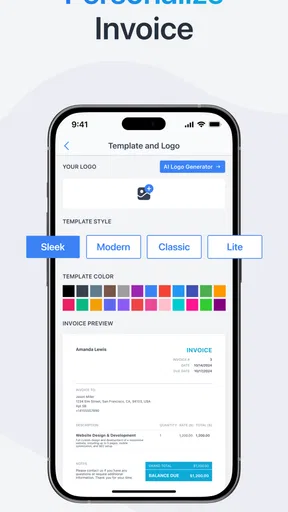
- Useful templates help maintain a consistent business image.
- Track invoice details without relying on paper records.
- Suitable for freelancers and small businesses on the go.
- Can simplify billing tasks for users with limited accounting experience.
Limitations of ProBooks: Invoice Maker
- Advanced accounting and bookkeeping tools may be limited.
- Some features may require a paid subscription or in-app purchase.
- Manual data entry can become time-consuming for frequent invoices.
- Customization options may not meet complex business requirements.
- Cloud features may depend on account access and internet connectivity.
Similar Picks in This Category
View All
LinkedIn: Community & Network
LinkedIn3.8

Zoom Workplace
zoom.com4.1

Microsoft Teams
Microsoft Corporation4.6

Meta Business Suite
Meta Platforms, Inc.4.6

Webex Meetings
Cisco Systems, Inc.4.5

TeamViewer Remote Control
TeamViewer4.4
Frequently Asked Questions
What is ProBooks: Invoice Maker used for?
ProBooks: Invoice Maker is designed to help freelancers, independent professionals, and small businesses create and manage invoices from a mobile device. During testing, its main purpose was straightforward: enter customer and business details, add products or services, calculate totals, and prepare a professional-looking invoice. It can be useful for users who need to bill clients while working away from a desktop accounting system.
Can I customize invoices in ProBooks: Invoice Maker?
The app generally allows users to personalize invoice information by adding business details, customer data, line items, prices, taxes, discounts, payment terms, and notes. Depending on the version and subscription plan, additional branding or layout options may be available. Before downloading, users should check the current feature list because customization tools and available templates can change between updates or differ between free and paid versions.
Does ProBooks: Invoice Maker support estimates, receipts, or payment tracking?
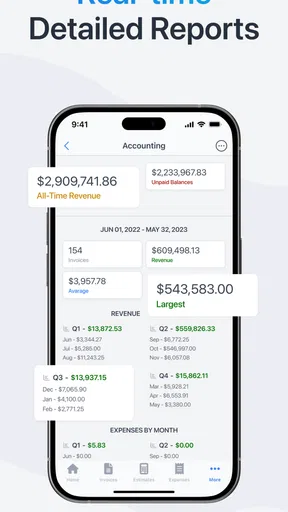
ProBooks: Invoice Maker may offer more than basic invoice creation, including tools for estimates, receipts, expense records, recurring billing, or monitoring invoice status. However, the exact selection depends on the current app version and account plan. Anyone looking for a complete bookkeeping solution should review these features carefully, since an invoice generator may not replace full accounting, tax, inventory, or payment-processing software.
Can invoices created with ProBooks be shared or downloaded?
After preparing an invoice, users typically need a convenient way to send it to a customer or keep a copy for their records. ProBooks: Invoice Maker is intended to support common sharing and export workflows, such as sending an invoice through email or messaging apps and saving it in a digital format. Availability can depend on device permissions, operating system settings, and whether export options are restricted to premium users.
Is ProBooks: Invoice Maker free to use, and are there subscriptions?
The app may be available to download at no initial cost, but some advanced tools can require in-app purchases or a recurring subscription. Potential paid features may include removing limitations, accessing premium templates, adding branding, managing more documents, or unlocking business tools. Before starting a trial or entering payment details, check the store listing for current pricing, renewal terms, cancellation instructions, and any limits included in the free version.
